
Can AI Follow Up With WhatsApp Leads Based on Their Responses?
Yes, AI can follow up with WhatsApp leads based on replies. See how Automate Chats uses WhatsApp API marketing, chatbots, and AI assistants.
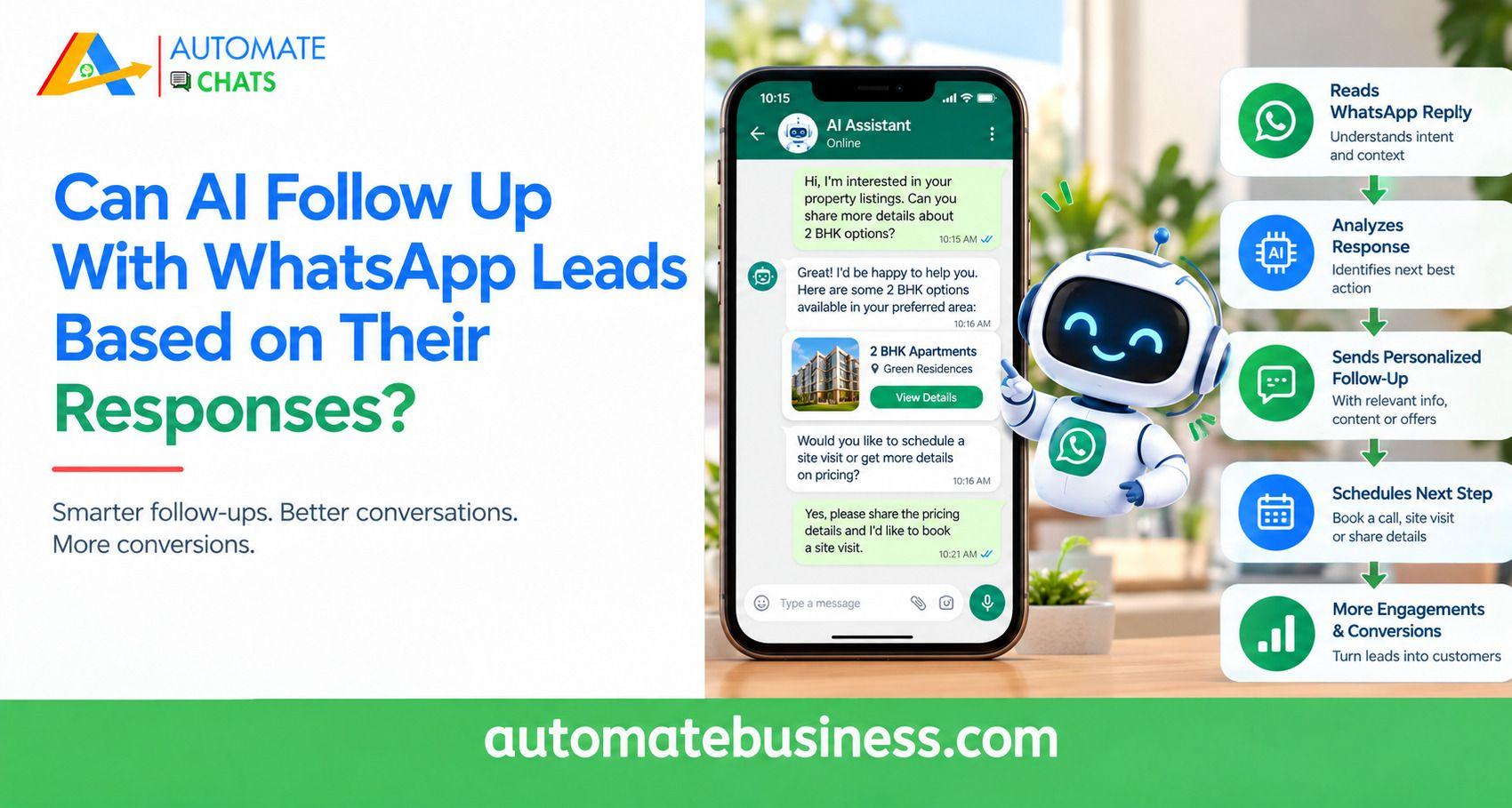
Yes, AI can follow up with WhatsApp leads based on their responses. It reads what a lead says, chooses the next message, and hands the chat to your team when a human is needed. With Automate Chats WhatsApp API Marketing, this happens through chatbots, automation sequences, and AI assistants in one shared inbox.
This guide explains how AI-based WhatsApp lead follow-up works, which tools power it, and where humans should step in. You will also see a sample workflow, the metrics to track, and how Automate Chats stands apart from other WhatsApp tools.
Why Fast, Personalized Follow-Up Matters
Leads compare options quickly. The business that replies first often starts the conversation with an advantage. WhatsApp helps because customers already use it daily, so your message feels familiar. Speed alone is not enough. A generic message feels like spam, while a message that reflects the lead’s interest feels helpful. Response-based follow-up gives you both speed and relevance.
Contact management makes this possible. Automate Chats stores customer details, tags, and groups, then uses them across conversations, campaigns, and automation. A tag like “Qualified lead” can change the next message automatically.
Your team also needs context. In a shared inbox, each chat is assigned to an owner and keeps the full customer history. This prevents missed messages and duplicate replies.
What Response-Based Follow-Up Means and How It Works
Response-based follow-up means the next message depends on what the lead said or did. A lead who replies “interested” follows a different path from one who stays silent. The conversation adapts instead of repeating one fixed script.
Manual follow-up depends on memory and spreadsheets. A rep forgets the day-three message, or every lead receives the same offer. Warm leads cool off and move to whoever replied first. AI follow-up reacts to signals instead. These include keywords, button taps, answers to questions, tags, and silence. Each signal triggers a defined next step.
Here is the typical flow in a WhatsApp Business API setup:
- A lead arrives from your website, ad, or CRM and receives a tag.
- A welcome message goes out immediately.
- The lead replies, and the system reads the response.
- The chatbot asks the next question or shares the right guide.
- If the lead goes quiet, a reminder follows after a set delay.
- Hot leads are assigned to a sales rep with the full chat history.
This is the core of WhatsApp lead follow-up automation. The AI follows rules you set and answers from information you provide.
The Tools Behind Automated WhatsApp Lead Follow-Up
Automate Chats combines three layers for WhatsApp API marketing and lead follow-up. Each one handles a different part of the conversation.
No-code chatbots. A new enquiry flow can start when a customer says “interested.” It asks for the preferred service, saves the answer, and routes the lead into different branches based on the response. Finally, it assigns the lead to your sales team on a round-robin basis.
Automation sequences. A lead nurture sequence can run when a contact receives a tag such as “Website lead.” It sends a welcome message immediately, a product guide after one day, and an interest check after three days. You can see how many contacts are enrolled and how many complete the sequence.
AI assistants. The AI assistant answers common questions using the business information you give it, such as your product catalogue and delivery policy. When a question needs a person, it hands the conversation to your team. You set the conditions for that handover.
Approved templates. WhatsApp requires approved templates for business-initiated messages outside the 24-hour customer service window. Automate Chats includes template management, so scheduled follow-ups use approved formats.
A Sample AI Follow-Up Workflow With Human Handover
Imagine a coaching institute running ads that send leads to WhatsApp. A prospect messages, “I want to know about the course.” The chatbot replies instantly and asks which course they prefer. The prospect picks a course, and the bot shares a brochure and fees. If the prospect asks a specific question, the AI assistant answers from the institute’s own details. If the prospect says, “I’ll think about it,” a reminder is scheduled for the next day.
When the prospect asks to book a demo, the chat moves to a counsellor. The counsellor sees the full history and internal notes in the shared inbox. The lead never has to repeat details Human handover keeps trust high. AI handles speed and routine questions, while people handle pricing talks, complaints, and closing.
Track the right numbers to improve this flow. The sample campaign dashboard in Automate Chats shows delivered, read, and reply rates, such as 97.5%, 79.9%, and 11.8% for a 2,480-contact campaign. Also watch first-reply time and resolution rate in the analytics view.
How Automate Chats Is Different From Other WhatsApp Follow-Up Tools
Many WhatsApp tools do only one job, such as broadcasting or a basic auto-reply. Automate Chats is built to cover the whole lead journey, from first message to sales handover.
- One workspace, not many tools. Team inbox, campaigns, automation, chatbots, AI assistants, contacts, analytics, and APIs sit together.
- Follow-ups tied to lead stage. Messages can go out when a lead moves to a new stage or gets a tag. It also connects with Automate CRM through webhooks and APIs.
- AI that knows your business. Answers come from your own information, with a clear handover to your team.
- Built for MSMEs. The chatbot builder needs no code, and you can begin with a 7-day free trial.
- Official WhatsApp foundation. It runs on the WhatsApp Business API, and Automate Business is a Meta Business Partner.
- Proven at scale. The parent platform, Automate Business, serves over 3,000 businesses across 35+ industries.
Results back this up. Meera Patel, a marketing head at a D2C brand, reports that WhatsApp broadcast campaigns lifted engagement from 8% to 35%.
Frequently Asked Questions
- Can AI send WhatsApp follow-ups automatically?
Yes. Automation sequences can send follow-ups based on tags, lead stages, or replies. Messages follow WhatsApp’s template rules. - Does AI replace my sales team?
No. AI handles first replies, lead qualification, and reminders. Your team takes over hot leads and complex questions. - Do I need coding skills to set this up?
No. The chatbot builder is no-code. APIs and webhooks are available if you want to connect other systems. - What happens when a lead stops replying?
A scheduled reminder can check their interest after a set delay, such as three days. - Can I try it before paying?
Yes. You can start a 7-day free trial or book a demo.
Start Following Up Smarter on WhatsApp
AI can follow up with WhatsApp leads based on their responses, and it works best with clear rules and human backup. Automate Chats WhatsApp API software gives you the inbox, automation, chatbots, and AI assistants in one place. Start your 7-day free trial or book a demo to see it with your own lead flow.